Start with one specific task.
Choose a task that needed several revisions or a second reminder. Bring together the original requirements, one delivered result, and your correction. Review one issue first, rather than your entire week.
The example below is illustrative: a page was delivered without its requested mobile layout. It is not a customer case study or a measured result.
Separate what happened from why it might have happened.
The facts: the request included a mobile layout; the first delivery showed only desktop; mobile checks were added after a reminder. One possible explanation: the requirements were not checked individually before delivery.
Other explanations are possible. A requirement may have been buried in an earlier message, a needed example may have been missing, or the result may simply lack evidence. Check the original conversation before drawing a conclusion.
Make your next request specific.
For that issue, try this in the original task:
List the requirements and acceptance criteria already agreed for this task. Check the current result against each one. Run the checks you can; clearly mark anything you cannot verify, and fix the unmet requirements.
In a new conversation, include the original requirements and the current result. The point is to agree on what counts as done, rather than reuse the same prompt for every task.
Check the next result.
Did the next delivery cover the mobile layout? Did it include evidence of the check? Did you still need to repeat the same requirement? Check the result yourself rather than relying only on a message saying it is finished.
If the same issue continues, narrow the task, add an example, or clarify the criteria. One improvement does not prove that a request will work in every situation.
Use your work history to find what to review.
Peilo brings local AI work records together so you can find a particular task or conversation. Optional AI insights can connect what happened, a possible communication issue, and a clearer request to try next.
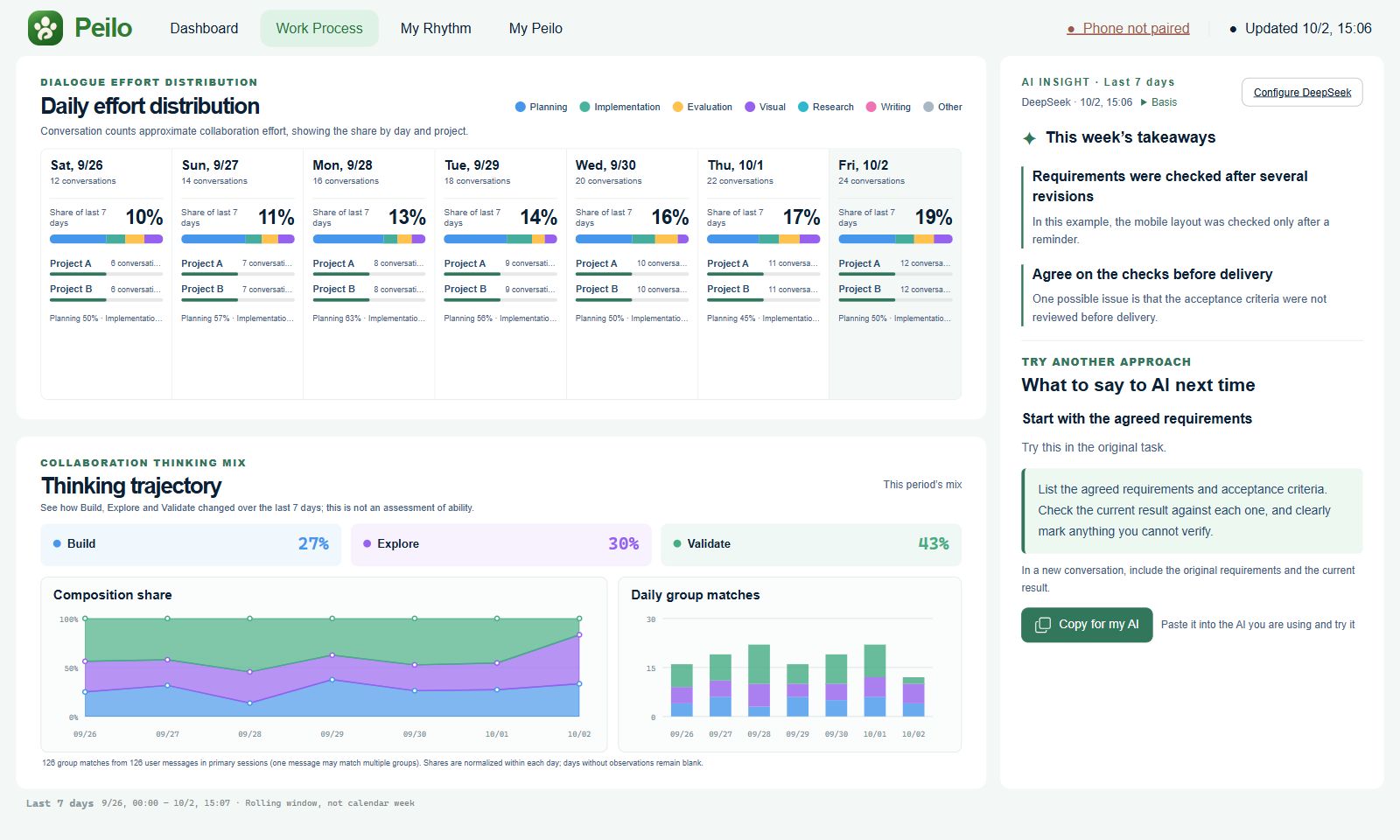
A chart cannot tell you on its own whether revisions were unnecessary. You can also use the steps above directly with your conversation history, without Peilo.
Worked example: turn repeated revisions into a check.
This is an illustrative example. The request was “make the signup button usable on mobile.” The first delivery checked only desktop. After the user reported an obstructed button, the next request added “check the button at 390px width: visible, unobstructed, and clickable.” Return to the conversation to distinguish the request, first result, correction, and the next result you still need to check.
Check the next version on a phone to see whether the button is now usable. A clearer request can help, but you still need to inspect the result.
Last updated October 6, 2026.
About this page
This guide explains AI work review in the Peilo PC preview. Examples help you understand the page and try a different approach. Check your original conversations before drawing conclusions about a task.
Maintained by AnyoneKit · Updated October 6, 2026