Quick answers
What is Peilo?
Peilo is a companion app for time at your desk. The phone app keeps you company during sessions you choose and records moments it can observe. The optional desktop app helps you review AI activity and collaboration. You do not need to buy a separate device.
Do I need both a phone and a PC?
No. Each app can be used independently. Phone companionship does not require a PC, and Peilo PC does not require a phone. To view PC information on your phone, you’ll need to connect the apps. Syncing past phone records requires a separate confirmation. Connection instructions.
Can I calculate my remaining Codex allowance from token usage?
Not directly. Local token records and official account allowance may use different sources and time windows. Check the official usage dashboard for your remaining allowance, and local records for past token usage. A missing record does not mean no usage, and an old reading may no longer be accurate. Worked example.
Choose the desktop experience that helps you.
Peilo PC brings session status, usage records, and work review together. You can use it without a phone or additional hardware. If you only need to check your Codex allowance occasionally, the official usage dashboard may be sufficient.
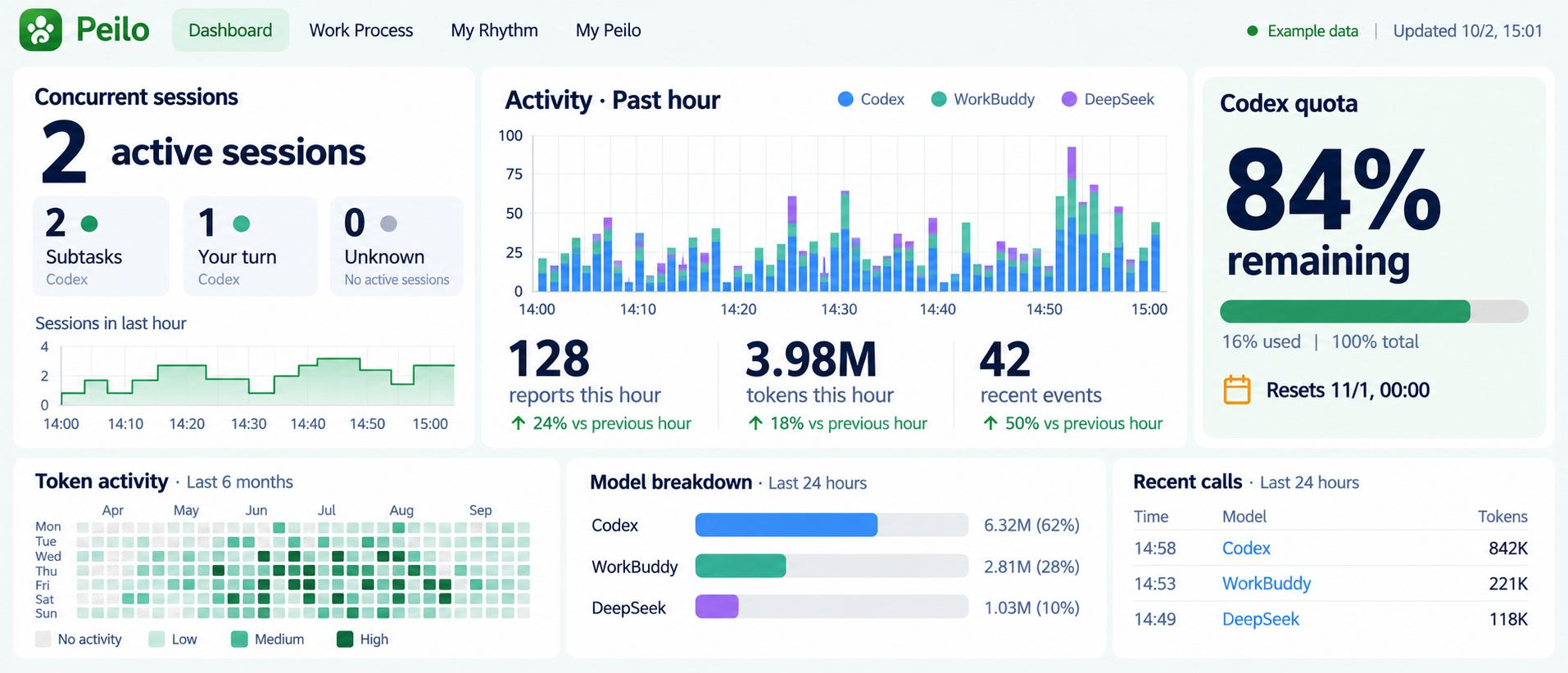
Sessions, tokens, and allowance answer different questions.
Session status helps you see work in progress or waiting for you. Recorded tokens show usage in the selected time window. Remaining allowance comes from its provider and is not a calculation from those tokens. Peilo does not approve or execute tasks for you.
Records may be missing if a service is unsupported or unavailable, a reading is out of date, or older local history cannot be read. A missing value does not mean zero usage.
Look back on how the work developed.
With your permission, Work Process organizes local Codex and WorkBuddy conversations over the past seven days. Conversation counts and categories help locate repeated revisions and useful excerpts. They are not working hours, token attribution, ability scores, or proof that tasks were completed.
Optional AI insights use your configured DeepSeek service and selected conversation excerpts. Local statistics remain available without a cloud API key. Generated suggestions need checking against the original task and result.
Use the PC app on its own.
Once you connect the apps, your phone can show PC information you have agreed to share. Syncing past phone records is a separate choice. You can use either app without connecting them.
Peilo PC is being tested on Windows. The macOS version is still in testing, and neither version is available for public download yet.
Three numbers on one dashboard answer different questions.
On September 20, 2026, we captured this dashboard from the running Windows app. It shows the readings at that time, not your current account usage. Private work content and pairing information are not included.
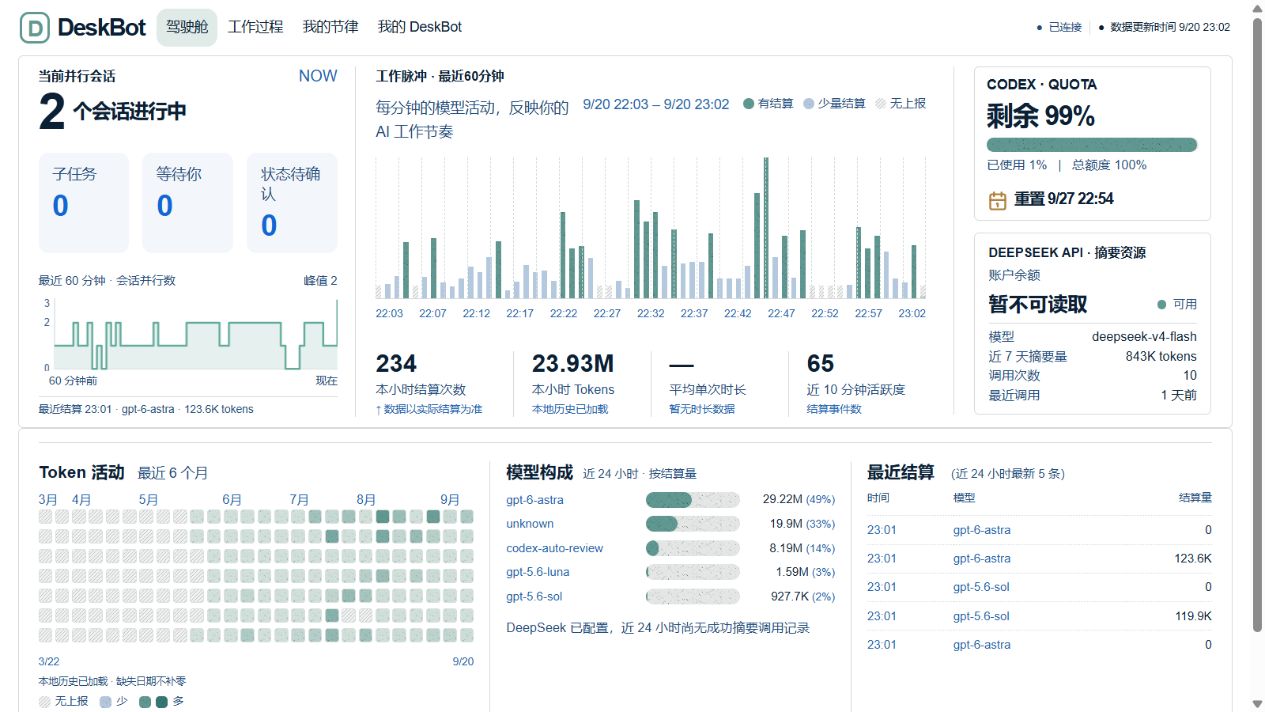
- Sessions: the screen showed two in progress. That does not establish task completion.
- Recorded window: 23.93M is the local token total shown for that hour; the historical heatmap covers a different period.
- Account allowance: 99% was the provider allowance read then. It cannot be calculated from 23.93M or used as today’s available percentage.
- Missing data: average call duration was unavailable. Preserve it as unknown rather than filling in zero or calculating efficiency.
This screenshot helps explain the readings shown at that time. Available information can vary by account and app version. The newer interface preview above uses example data.
About this page
This page covers the Peilo PC preview. Screenshot dates and available version details appear in the captions; older screens may differ from the current app. The macOS app is still in testing.
Maintained by AnyoneKit · Updated October 6, 2026